

















Candy Balls — Walkthrough
Stuck on a level? Watch a quick playthrough for tips and strategies.

Everyone wants to relax after the a hectic pace of a work day, and this game knows how to help with that, Simple actions, fresh and cool design, a wide variety of tasks - this game has plenty of levels so you can have lots of fun while playing game.
Stuck on a level? Watch a quick playthrough for tips and strategies.
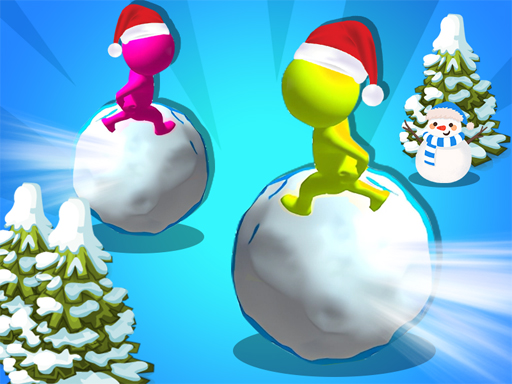
Candy Balls is a 3D browser game running on WebGL — full three-dimensional environments, camera perspective, real depth in the gameplay space. Everyone wants to relax after the a hectic pace of a work day, and this game knows how to help with that, Simple actions, fresh and cool design, a wide variety of tasks - this game has plenty of levels so you can have lots of fun while playing game. Browser 3D has come a long way; Candy Balls demonstrates how much you can pack into a non-installed, no-signup title these days without the player needing to download anything beyond the initial page load. What distinguishes a good 3D browser game from a mediocre one is camera handling — does it stay out of your way, does it telegraph hazards, does it adapt when you change direction. Candy Balls clears that bar. The browser version runs at smooth frame rate on any modern device, mobile orientation works as expected, and there's no degraded "lite" version of the game — what you'd download is what you're already playing. Free, no install, no signup.
Click "Play Now" on this page to launch Candy Balls in your browser.
Mouse click or tap to play
Try another round and use what you learned from the previous attempt. Explore the related games below when you want a change.
Candy Balls is listed as a free browser game. The publisher may offer advertising, optional purchases, or its own account features.
Device support depends on the publisher. Open Candy Balls to check its controls; some catalog games work best with a keyboard or a larger display.
Mouse click or tap to play
No account required. Candy Balls runs directly in your browser — just click Play.
Candy Balls is provided by an external game publisher and opens inside the HT Hub player. The publisher’s own game settings, advertising, and data practices may apply.
No reviews yet. Be the first to rate Candy Balls.
Sign in to leave a review and rate this game.
Sign inSponsored content from gamemonetize.com · Curated by HT Hub