


















World of Blocks 3D — Walkthrough
Stuck on a level? Watch a quick playthrough for tips and strategies.
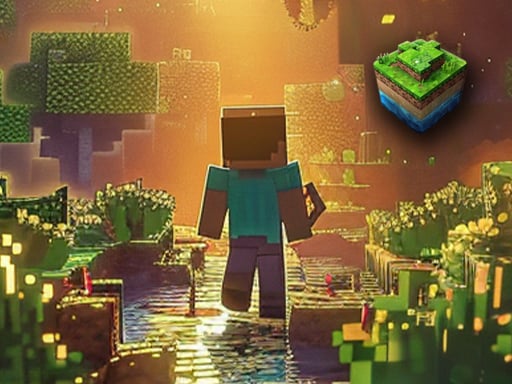
Do you like building games? World of Blocks 3D invites you into a completely open and huge craft world. In this world, you can use dozens of items / mines to design most of the things you can imagine and take actions in a world of your own. For example, first design, then fly over your unique design using the flying mode! This wonderful simulation game may become addictive for you. It is possible to design a completely different world in every game.
Stuck on a level? Watch a quick playthrough for tips and strategies.
Do you like building games? World of Blocks 3D invites you into a completely open and huge craft world. In this world, you can use dozens of items / mines to design most of the things you can imagine and take actions in a world of your own. For example, first design, then fly over your unique design using the flying mode! This wonderful simulation game may become addictive for you. It is possible to design a completely different world in every game.
Click "Play Now" on this page to launch World of Blocks 3D in your browser.
MOVE W A S D RUN LEFT SHIFT OPEN THE BLOCKS PANEL Q CHANGE THE BLOCKS ROW TAB SELECT BLOCKS 1 2 3 4 5 6 7 8 HIT BLOCK Mouse Left-Click ROTATE BLOCK R PLACE BRICK X CREATE BLOCK Mouse Right-Click CROUCH C TOURCH L INTERACT T THROW G PAUSE a
Try another round and use what you learned from the previous attempt. Explore the related games below when you want a change.
World of Blocks 3D is listed as a free browser game. The publisher may offer advertising, optional purchases, or its own account features.
Device support depends on the publisher. Open World of Blocks 3D to check its controls; some catalog games work best with a keyboard or a larger display.
MOVE W A S D RUN LEFT SHIFT OPEN THE BLOCKS PANEL Q CHANGE THE BLOCKS ROW TAB SELECT BLOCKS 1 2 3 4 5 6 7 8 HIT BLOCK Mouse Left-Click ROTATE BLOCK R PLACE BRICK X CREATE BLOCK Mouse Right-Click CROUCH C TOURCH L INTERACT T THROW G PAUSE a
No account required. World of Blocks 3D runs directly in your browser — just click Play.
World of Blocks 3D is provided by an external game publisher and opens inside the HT Hub player. The publisher’s own game settings, advertising, and data practices may apply.
No reviews yet. Be the first to rate World of Blocks 3D.
Sign in to leave a review and rate this game.
Sign inSponsored content from gamemonetize.com · Curated by HT Hub


